This is a first-pass case study. The project is documented from the implemented MVP, SDS coverage, and available architecture diagrams.

Silver Screen

Cinema booking and operational system built with Django

Role
Developer
Type
Hobby Project
Stack
Django, HTMX
Scope
Booking, POS, Scheduling

Summary

Silver Screen is a cinema booking and operations system covering the full path from customer movie discovery to ticket payment, POS order creation, showtime scheduling, and manager-controlled master data. The MVP is implemented with Django class-based views, service-layer business logic, Django templates, HTMX fragment swaps, and raw CSS.

The system supports four role groups: customer, staff counter, scheduler, and cinema manager. Each role has a separate operational surface while sharing the same core domain model for movies, studios, seats, showtimes, orders, tickets, products, add-ons, charges, and payments.

Interface Showcase

Explore the interface of Silver Screen. Select a role below to view screenshots from the deployment.

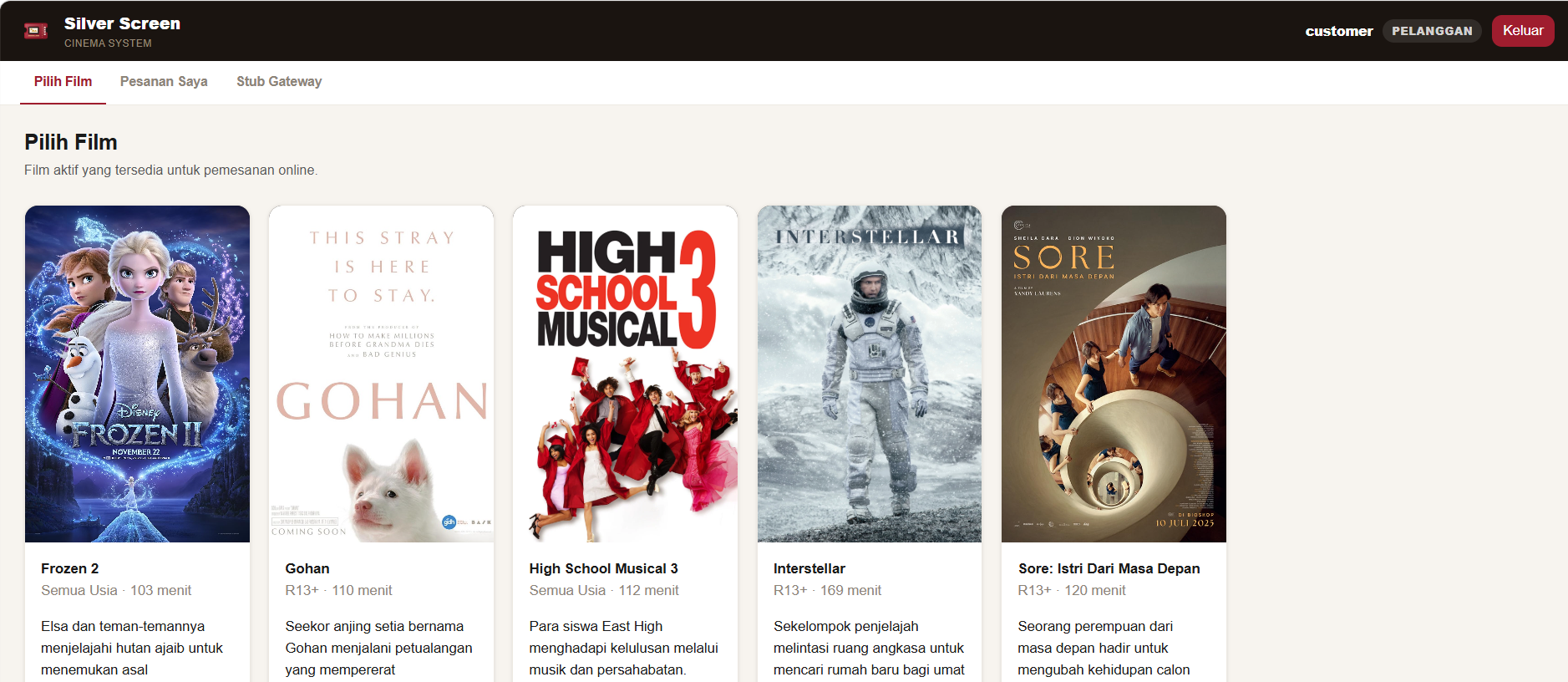
Customer Movie List catalog
Movie catalog displaying active movies within the 14-day booking window with age ratings, themes, and interactive call-to-action footers.
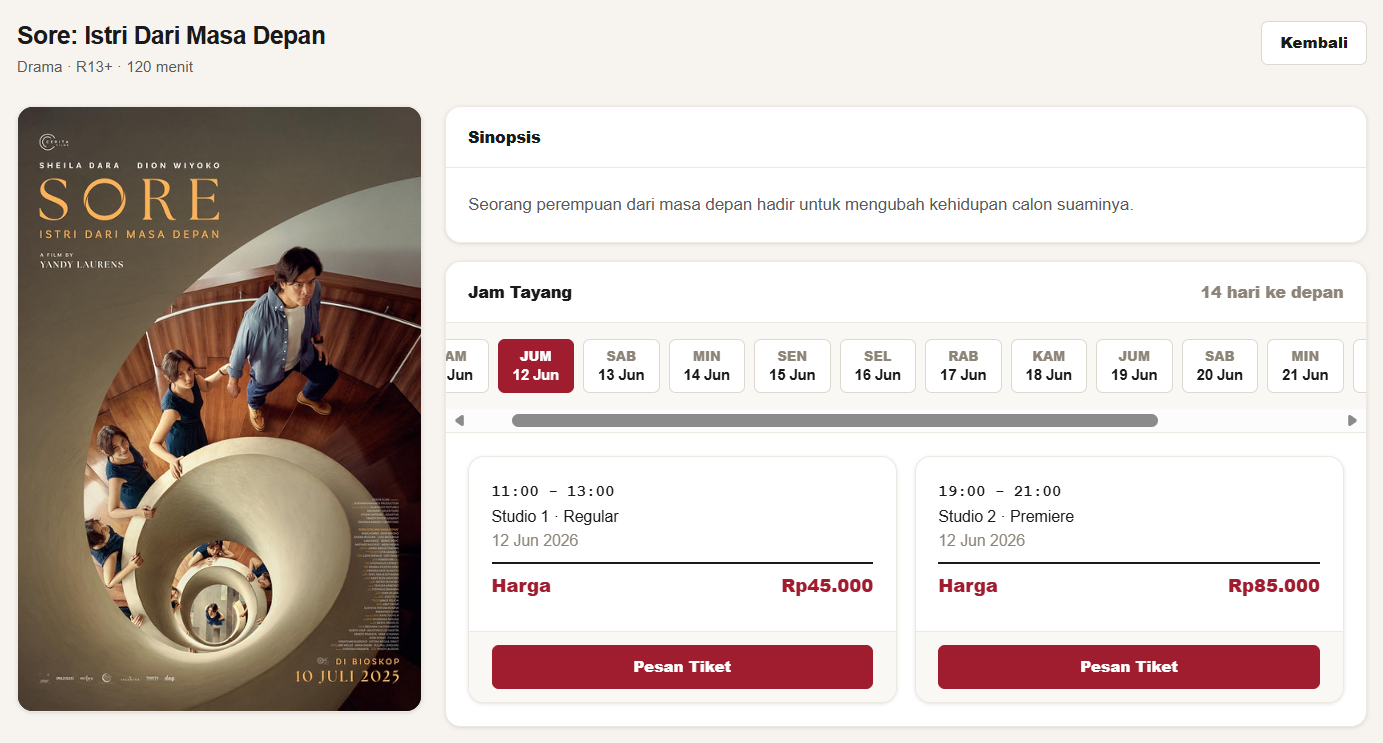
Customer Movie Details page
Movie detail view rendering metadata, synopsis, and date-based jam tayang pagination driven by HTMX fragment updates.
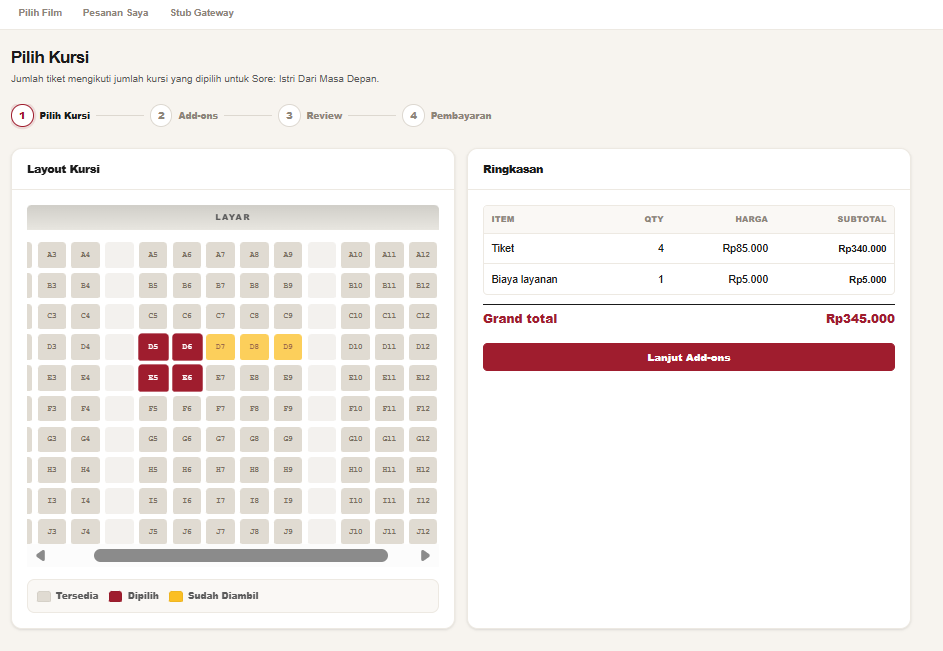
Online Booking Phase 1: Pilih Kursi
Phase 1 (Pilih Kursi) of the multi-phase stepper displaying the studio seat layout grid, preserving configured aisle and gap cells.
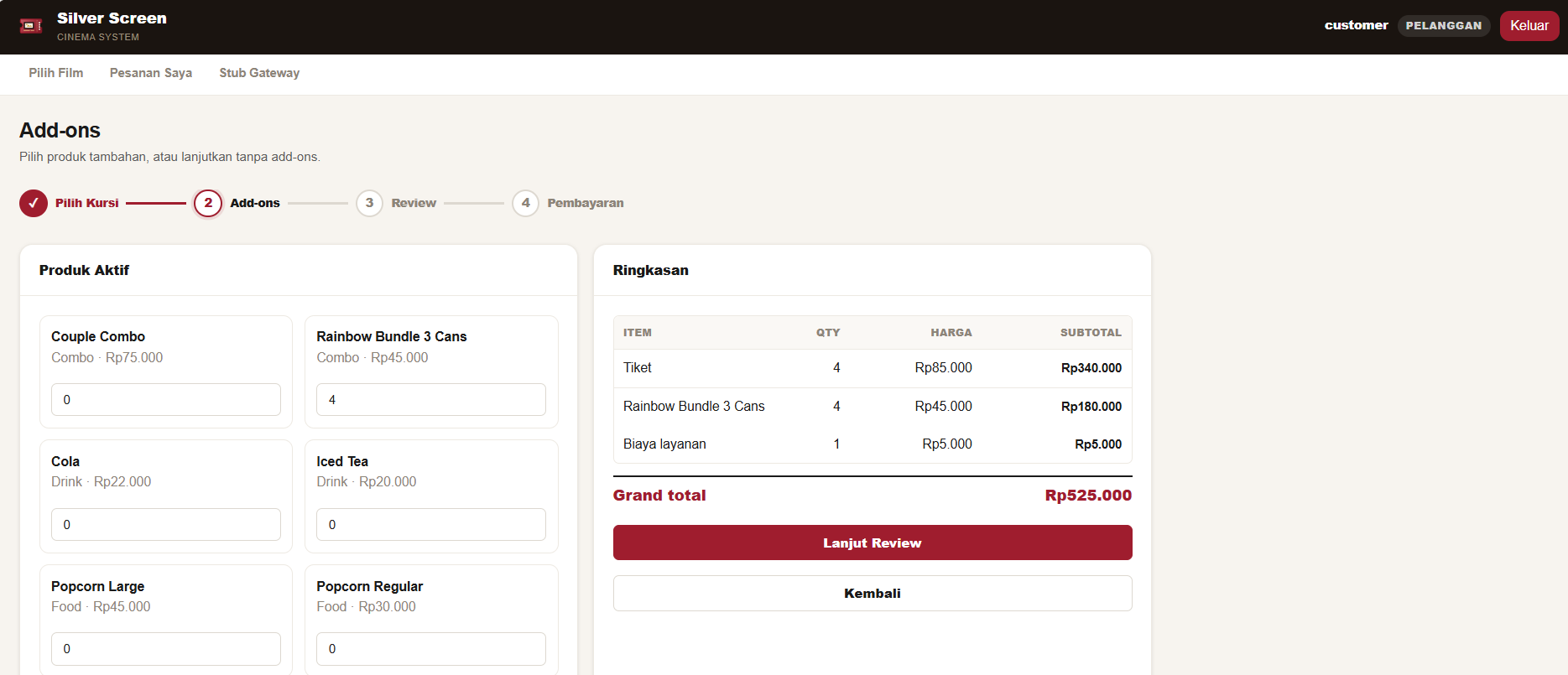
Online Booking Phase 2: Add-ons
Phase 2 (Add-ons) of the stepper listing active food, drink, and merchandise items that customers can select and add to their order.
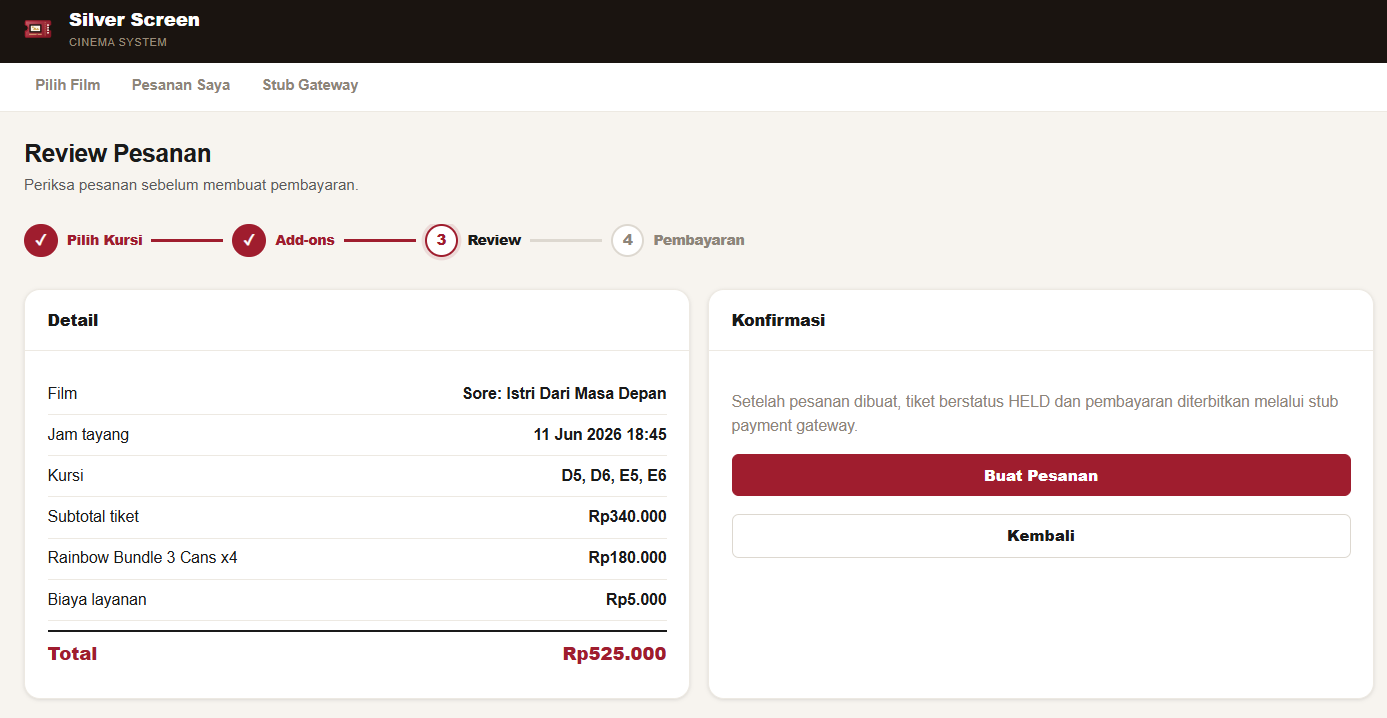
Online Booking Phase 3: Review
Phase 3 (Review) displaying the order summary details with ticket count, itemized add-on quantities, unit prices, service charges, and calculated totals.
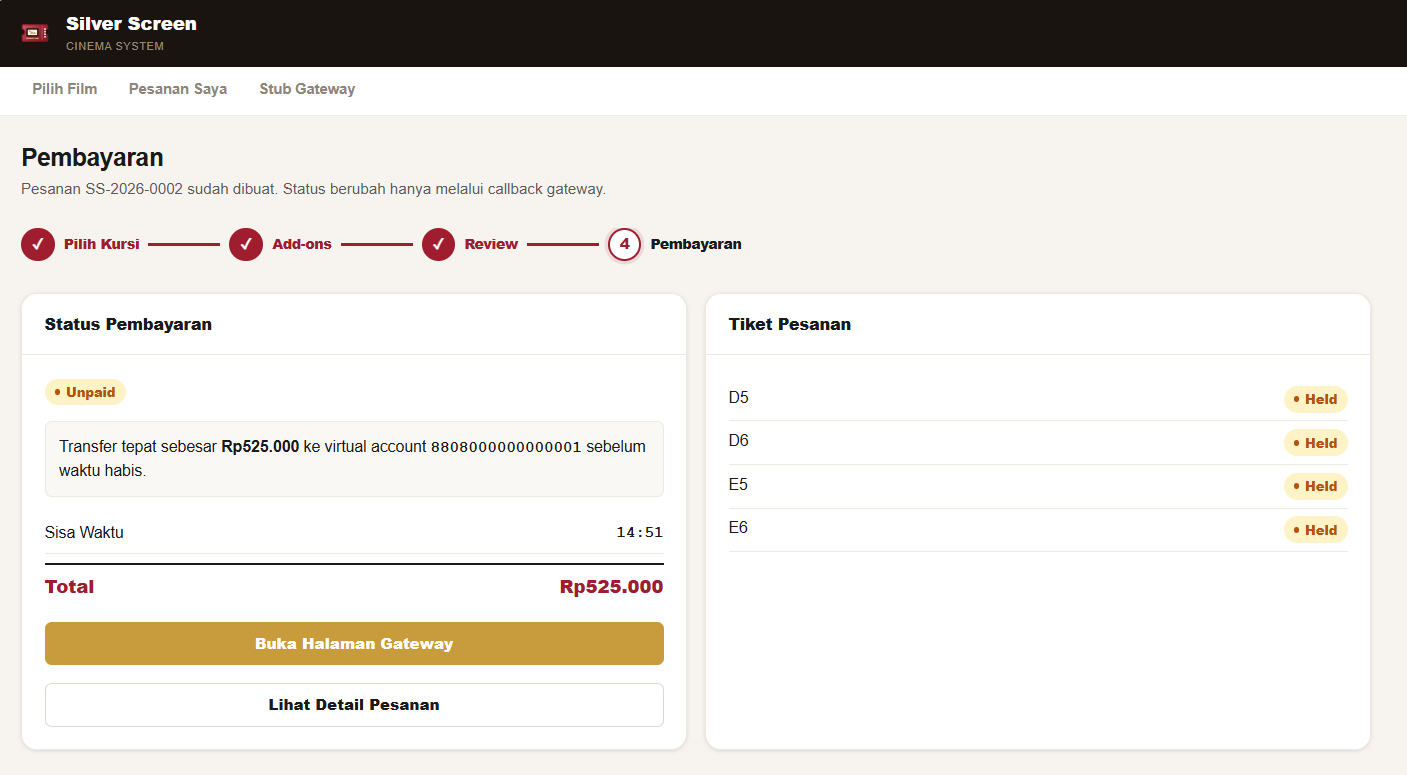
Online Booking Phase 4: Pembayaran
Phase 4 (Pembayaran) displaying the payment status page with virtual account information and instructions to complete transaction via the stub gateway.
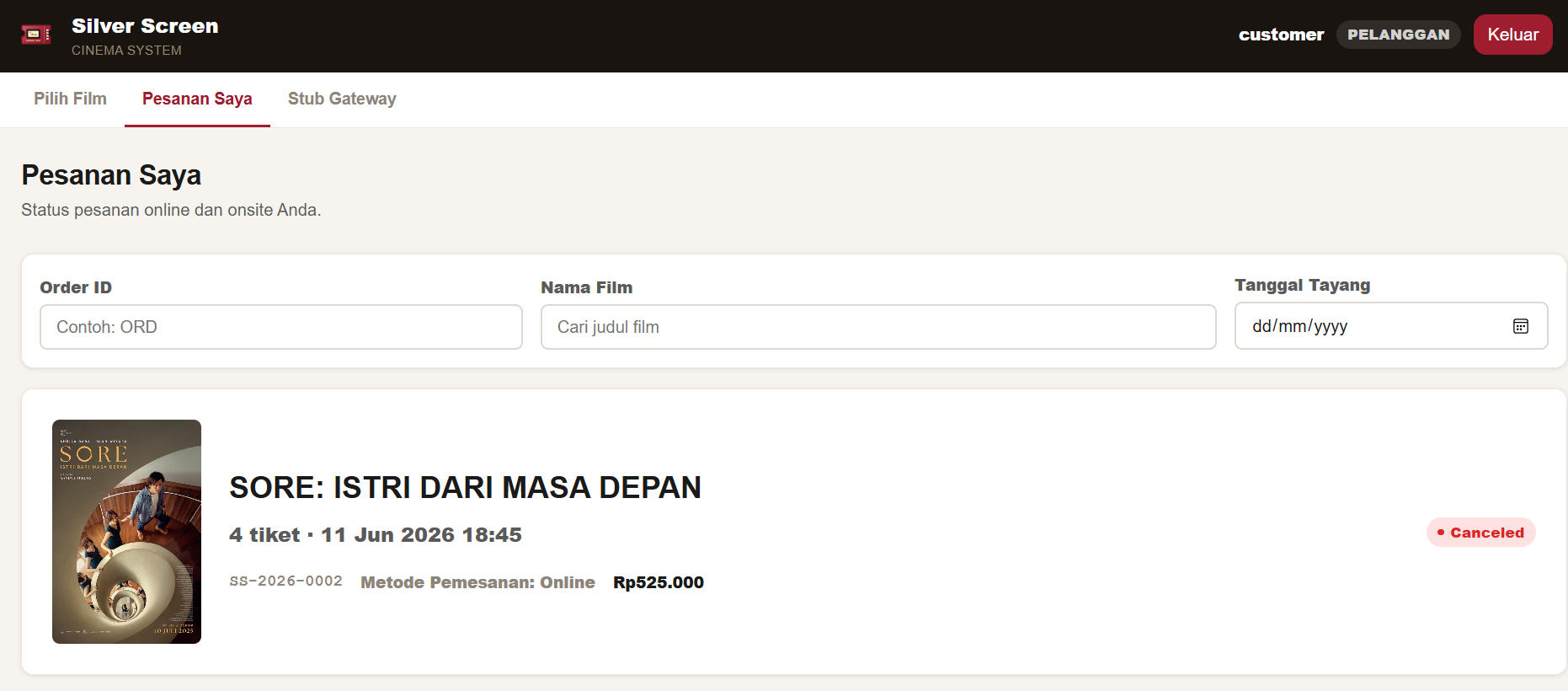
Customer Orders list dashboard
My Orders page listing previous and active bookings assigned to the user, with HTMX filters for order IDs, movie names, and dates.
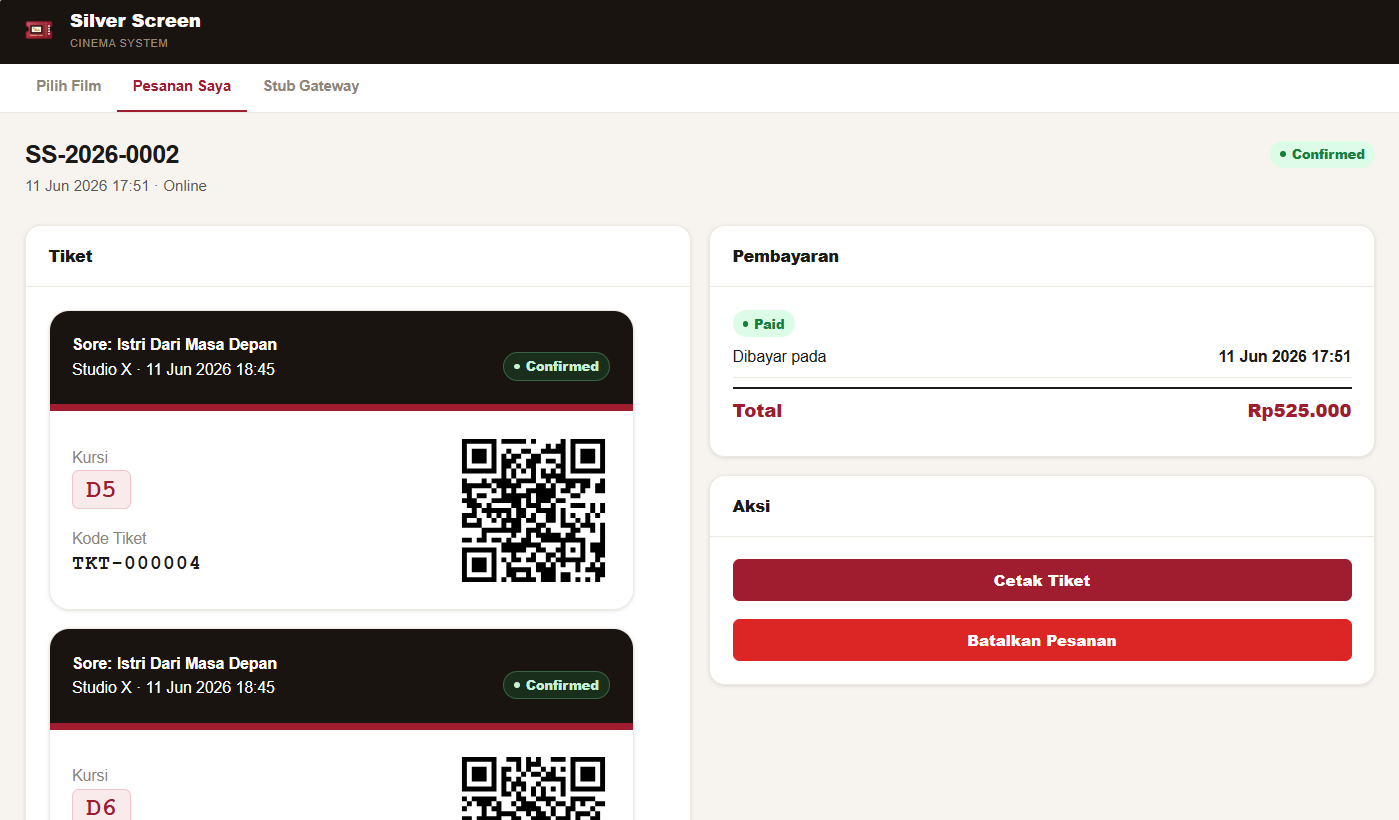
Customer Order Details page
Order detail page displaying digital tickets with unique QR code UUIDs, ticket states, and online cancellation/refund action triggers.
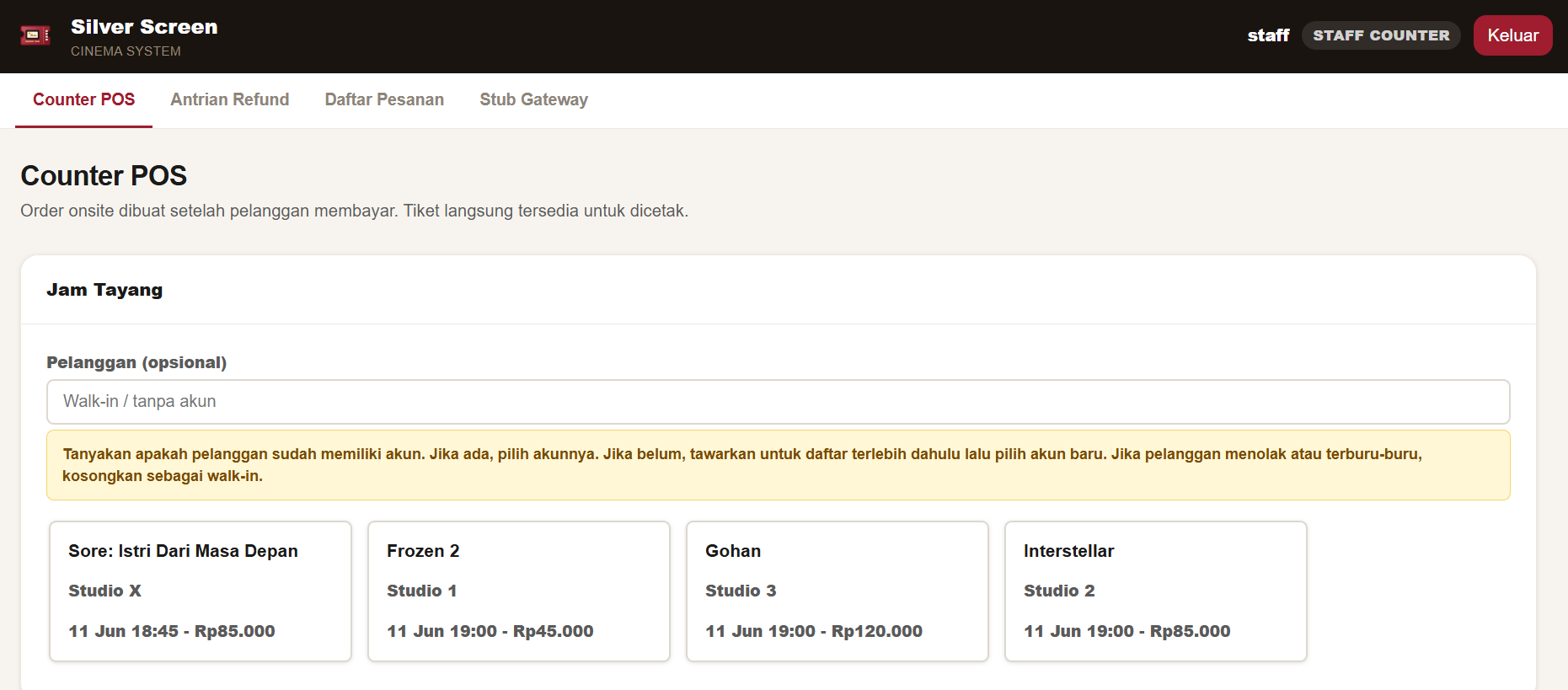
POS Top Workspace
Onsite POS system start screen showcasing a searchable customer lookup selector and today's active movie jam tayang carousel.
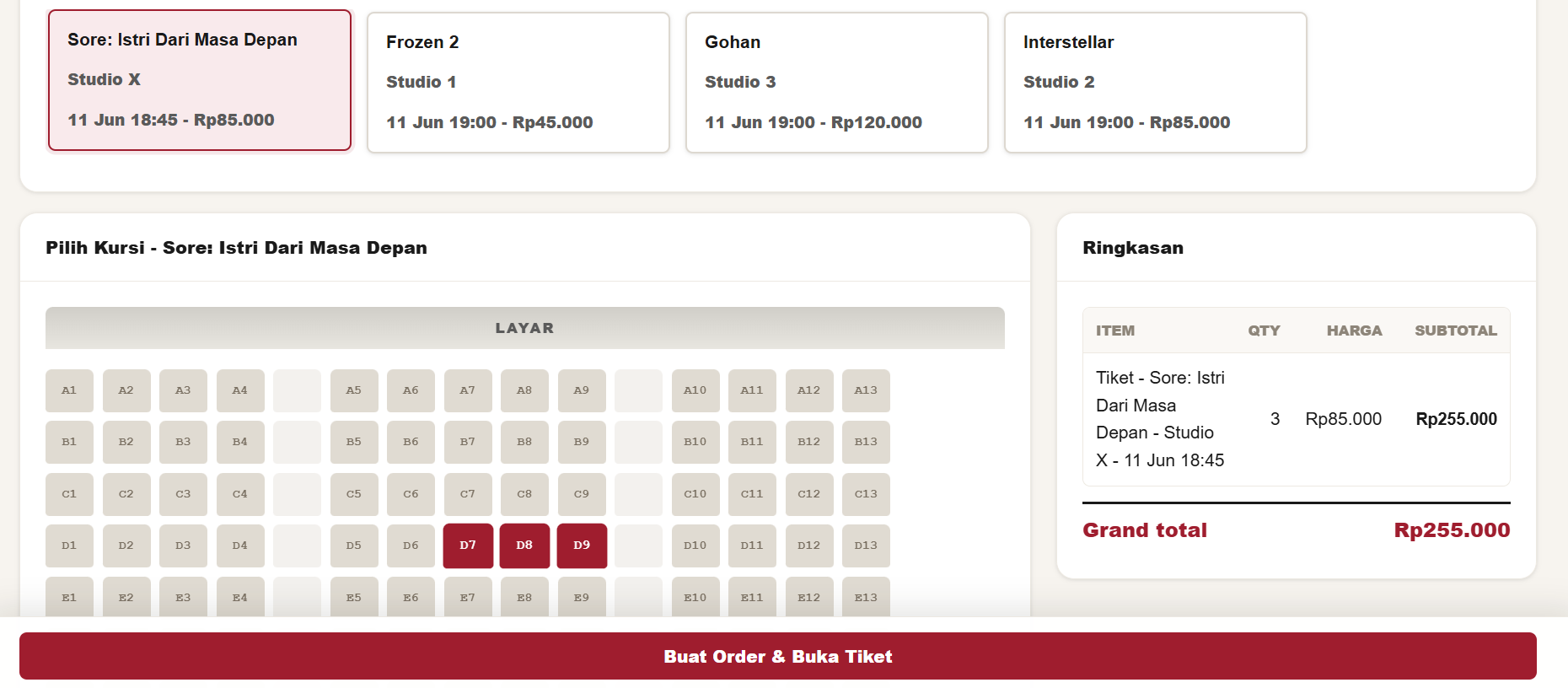
POS Seat Selection
Seat selection view loaded inline via HTMX for the active showtime, matching the studio layout and enforcing ticket limits.
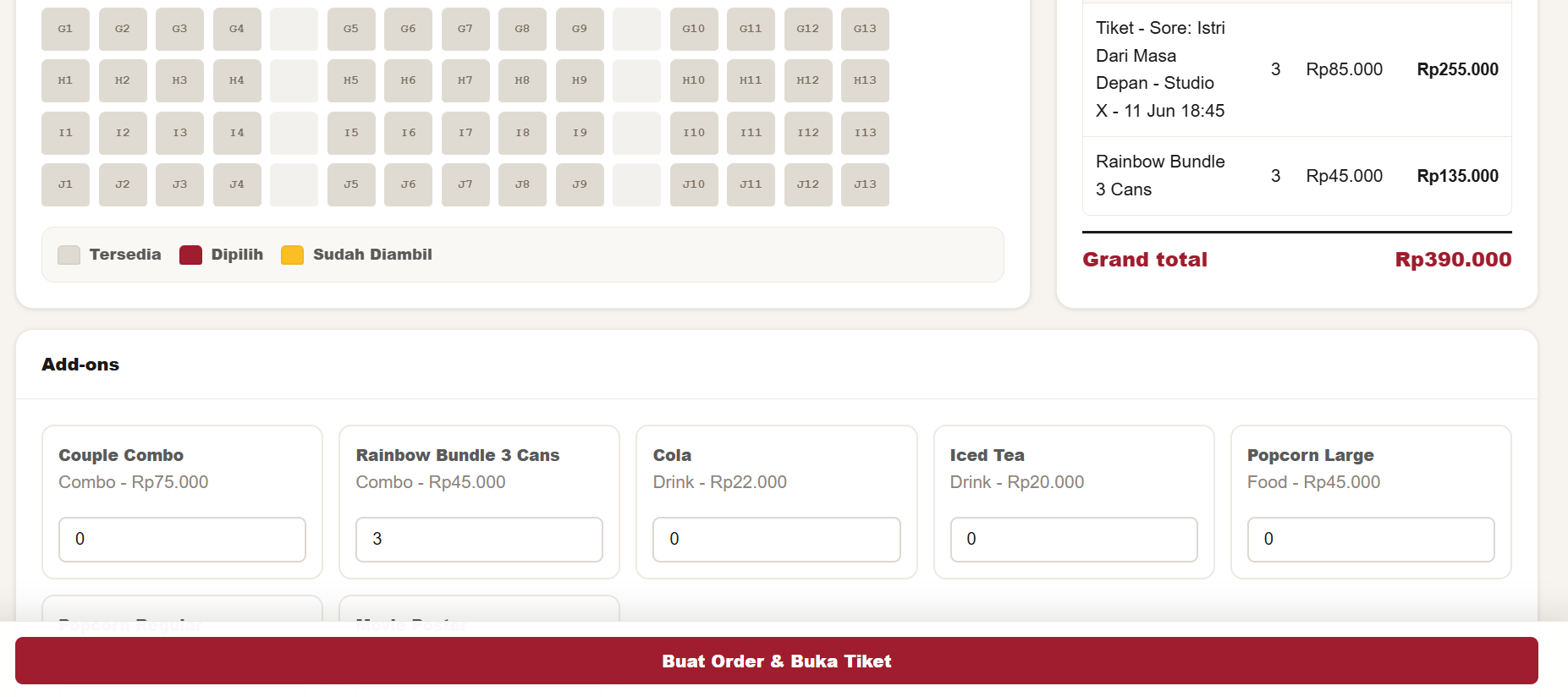
POS Checkout Area
POS checkout section with product add-on checkboxes and a fixed order checkout summary bar at the bottom of the screen.
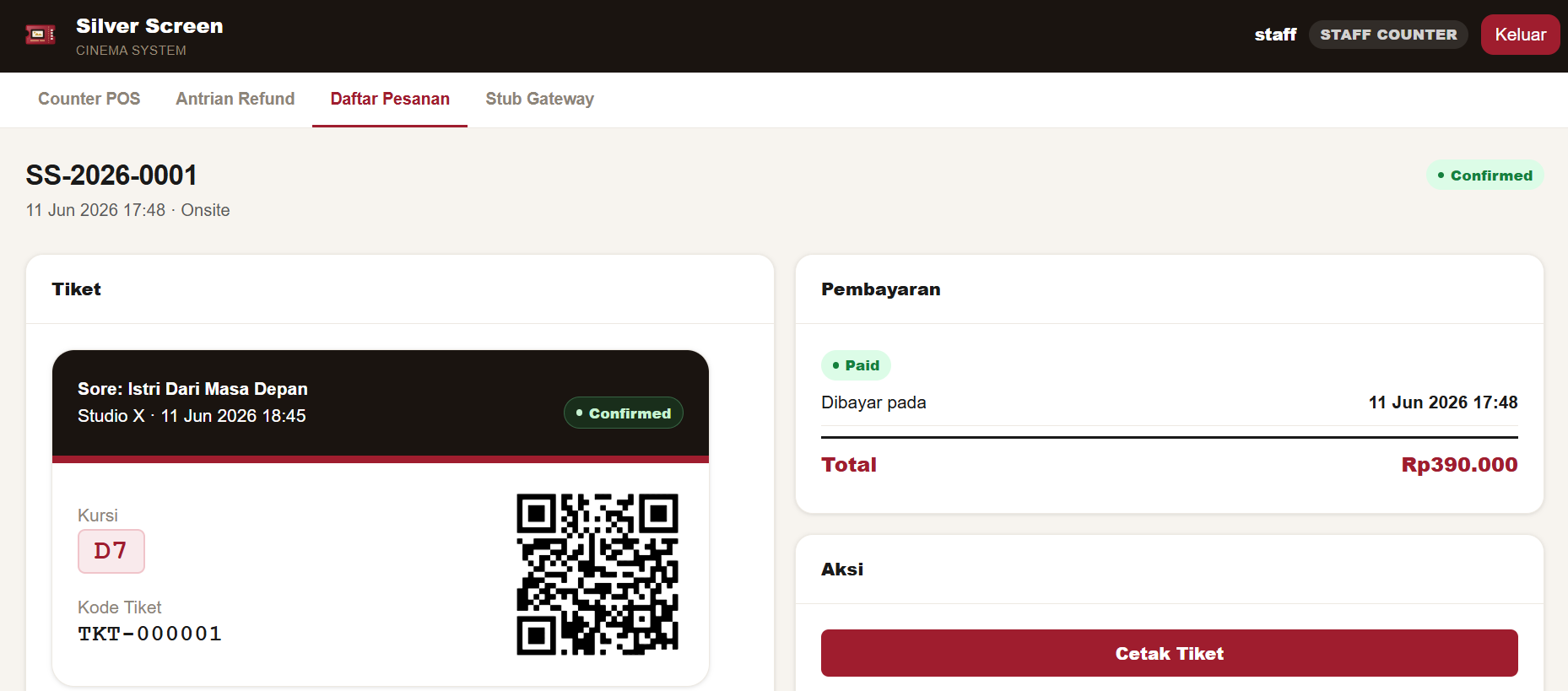
Staff Order Detail page
Detailed order view for counter staff displaying ticket receipt print commands, customer account information, and staff cancellation options.
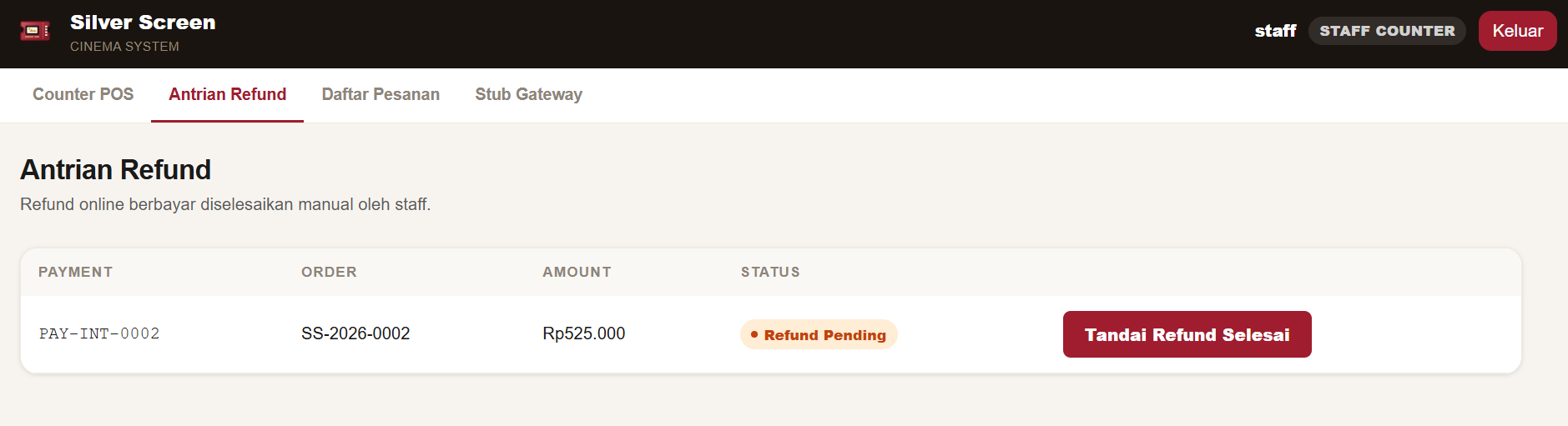
Staff Refund Queue
Refund queue dashboard showing paid online cancellations transitioning to refund pending, waiting for manual counter staff approval.
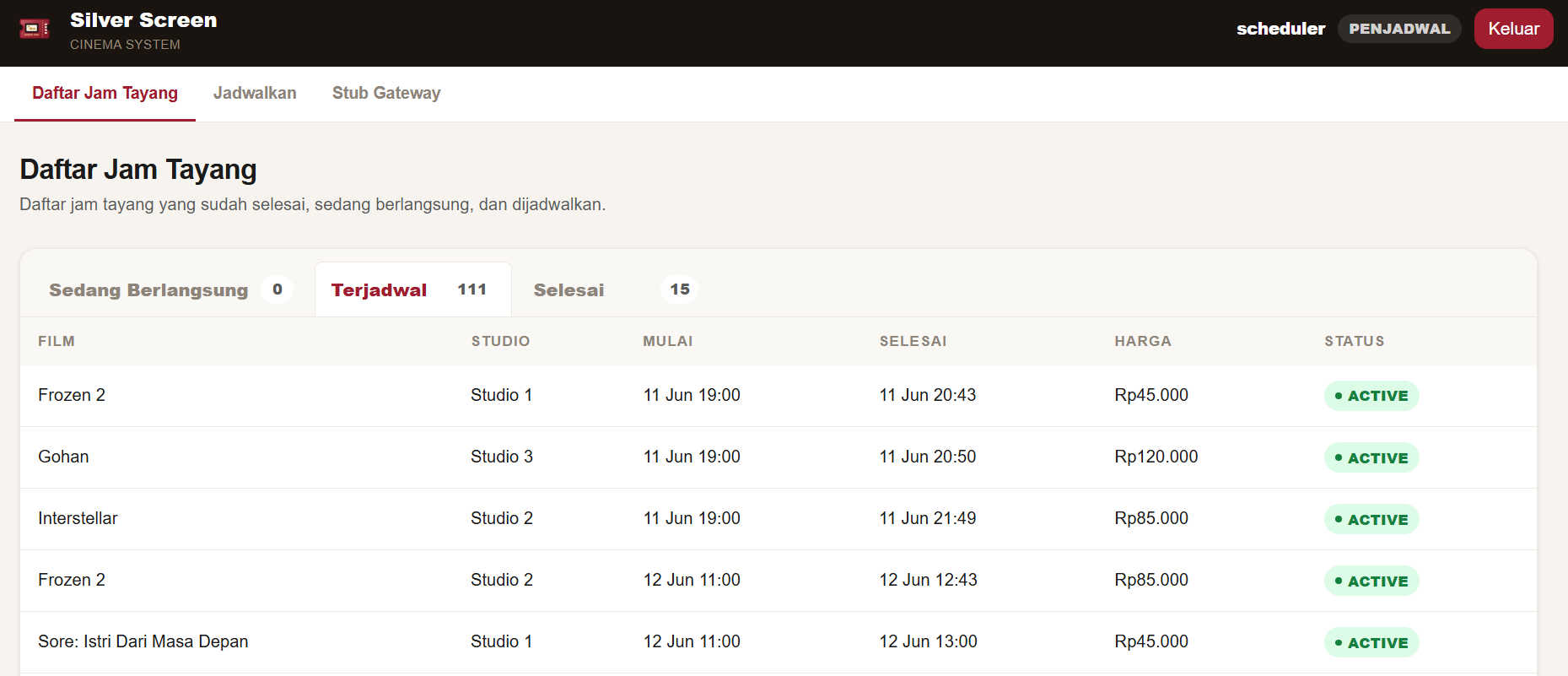
Showtime List page
Showtimes listing dashboard split into ongoing (sedang berlangsung), upcoming (terjadwal), and completed (selesai) tabs with no edit option.
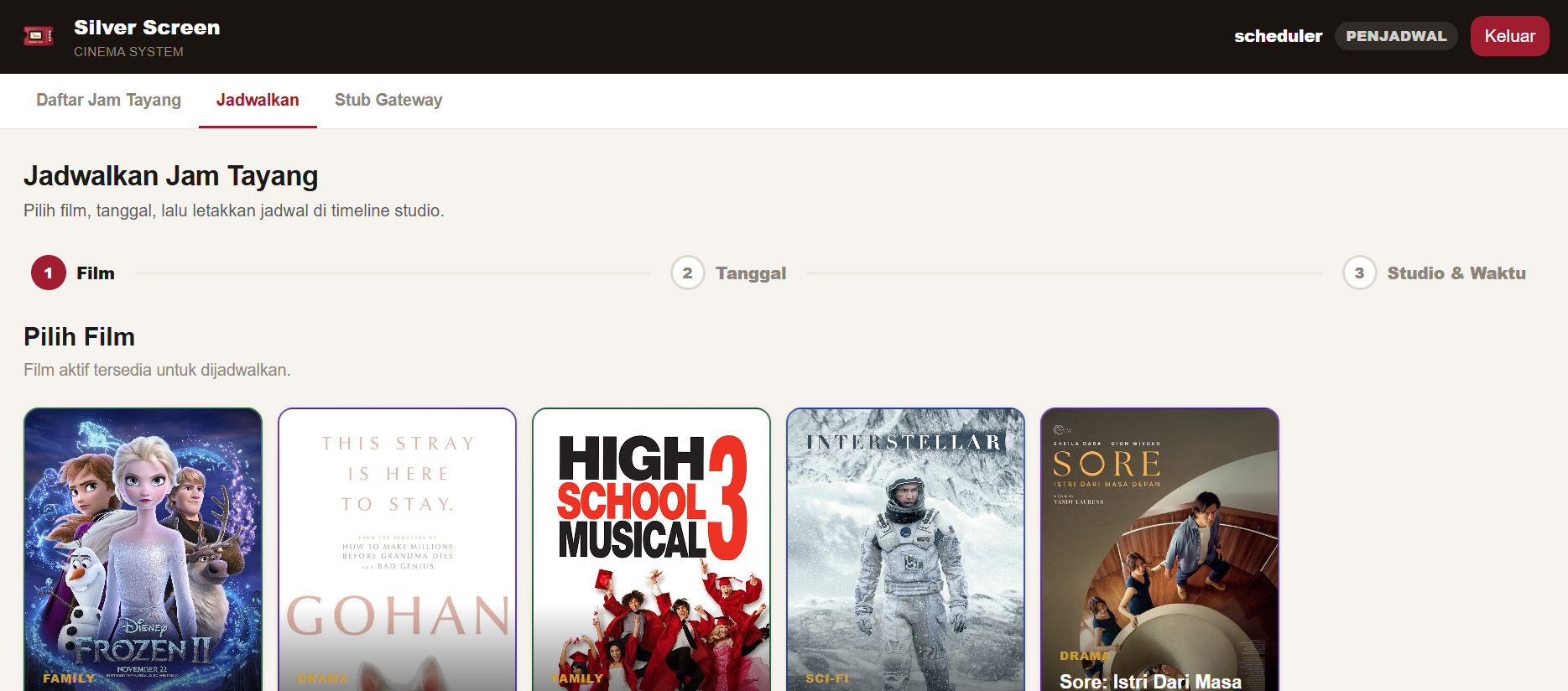
Scheduler Showtime Add Phase 1: Film Selection
Phase 1 of the visual scheduling wizard displaying movie selections and runtime lengths for scheduling showtimes.
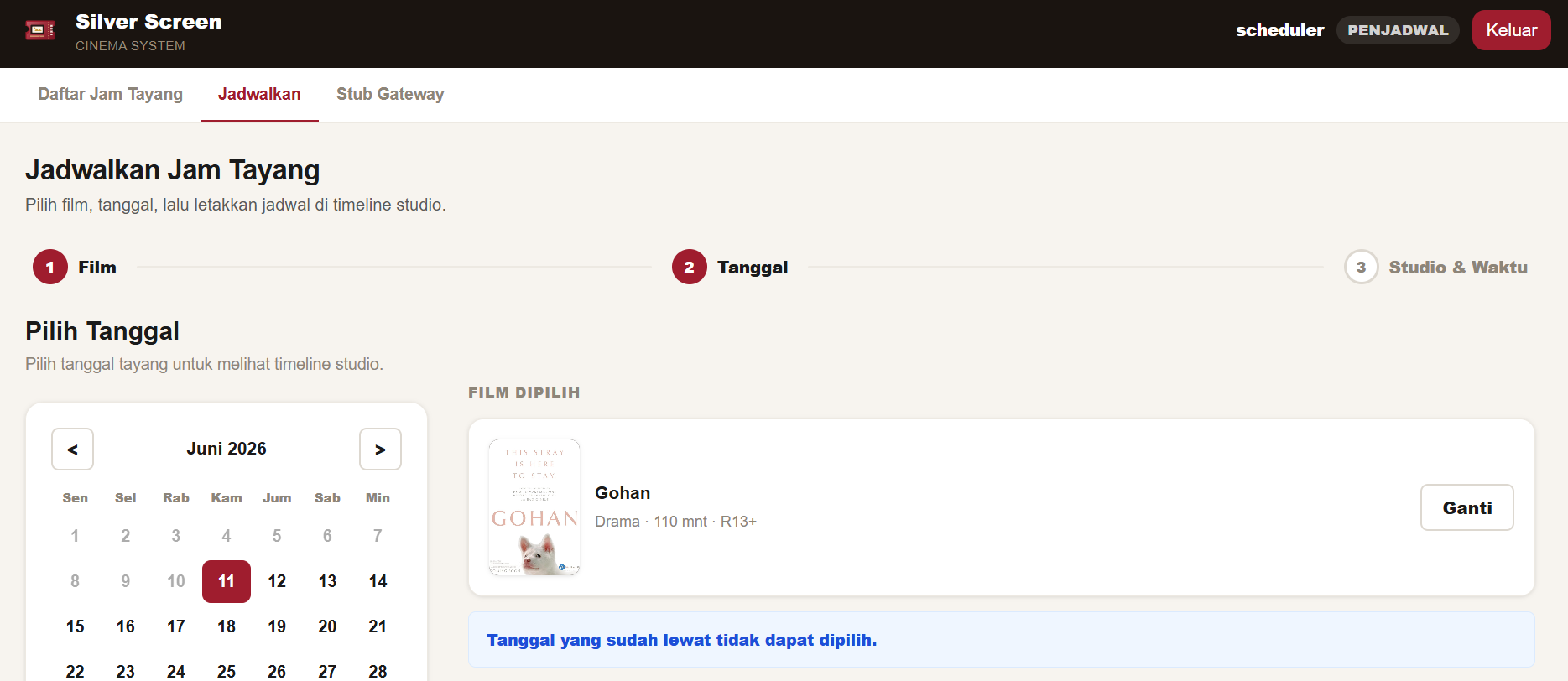
Scheduler Showtime Add Phase 2: Date Selection
Phase 2 of the wizard providing a date picker to plan the selected movie's showtimes within the allowed booking window.
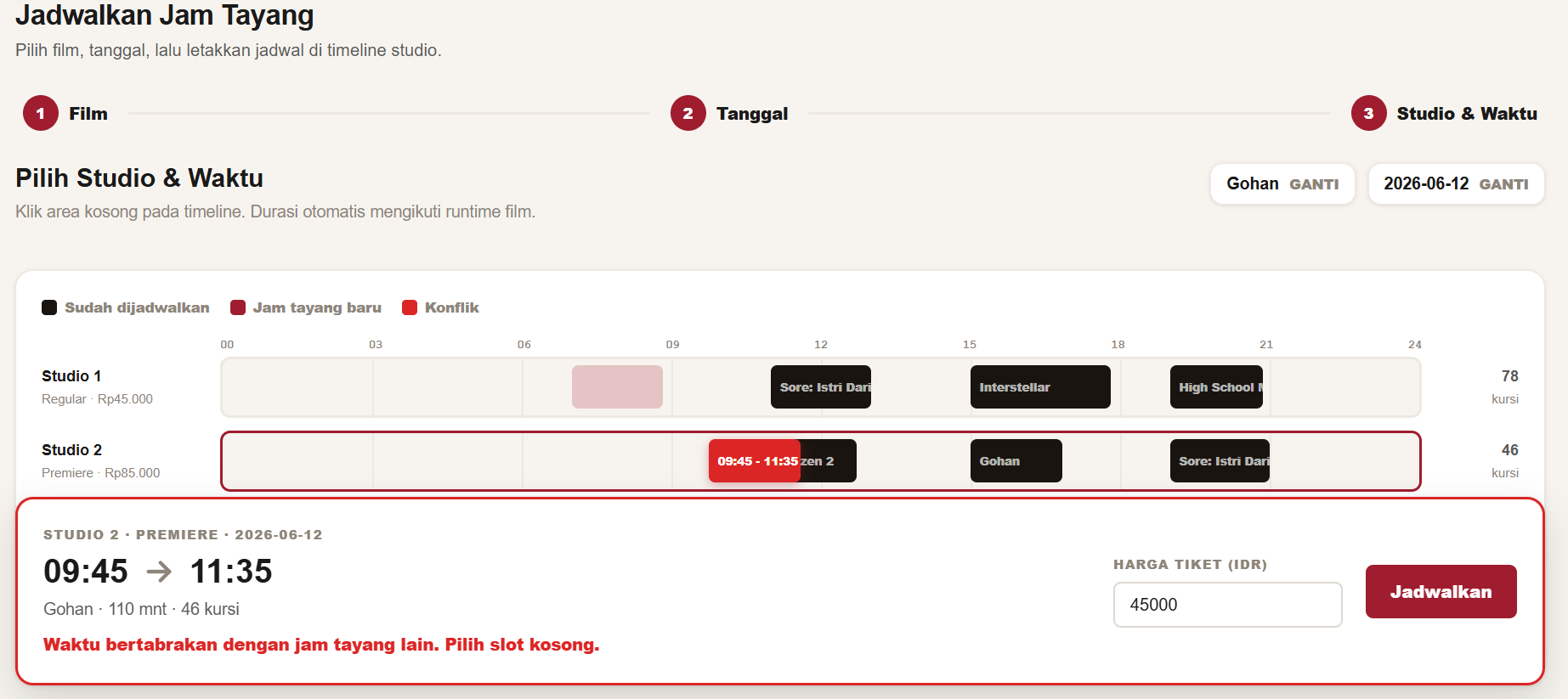
Scheduler Showtime Add Phase 3: Studio & Time Allocation
Phase 3 of the wizard rendering a 24-hour studio timeline worksheet to select times and check schedule conflicts before creating showtimes.
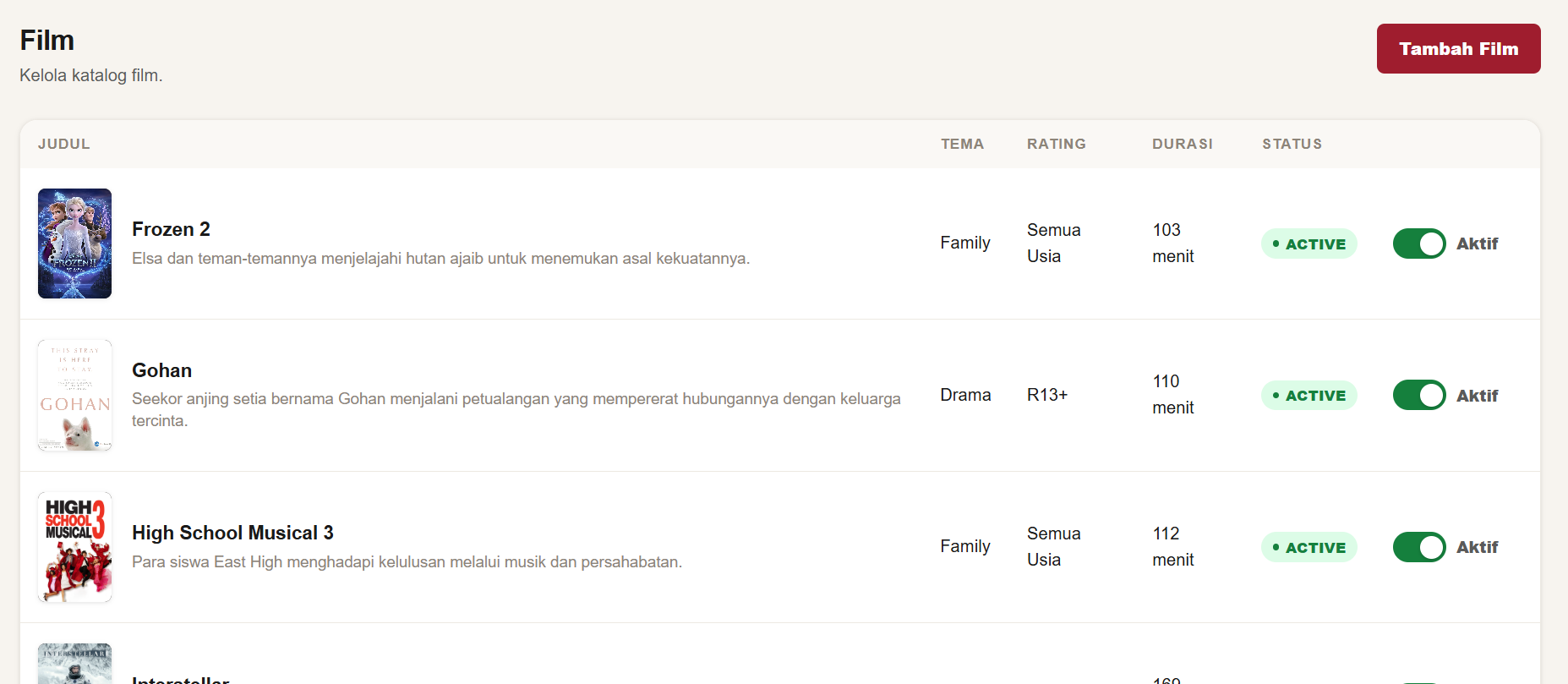
Manager Movie List
Manager movie inventory management listing movie metadata, thumbnail posters, and active status switch toggles.
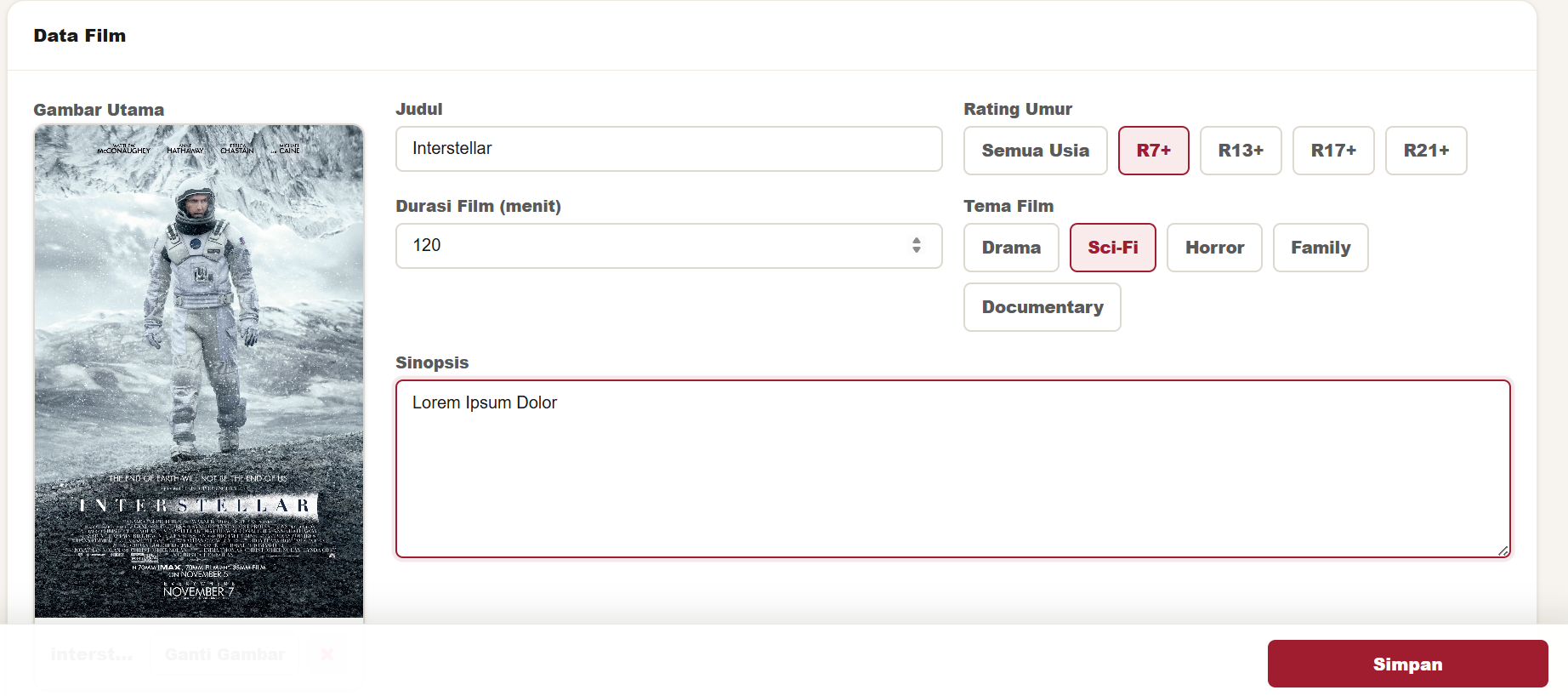
Manager Create Movie Form
Add Movie form featuring selectable age rating pool buttons, genre/theme selection options, and the reusable ImageWidget upload preview.
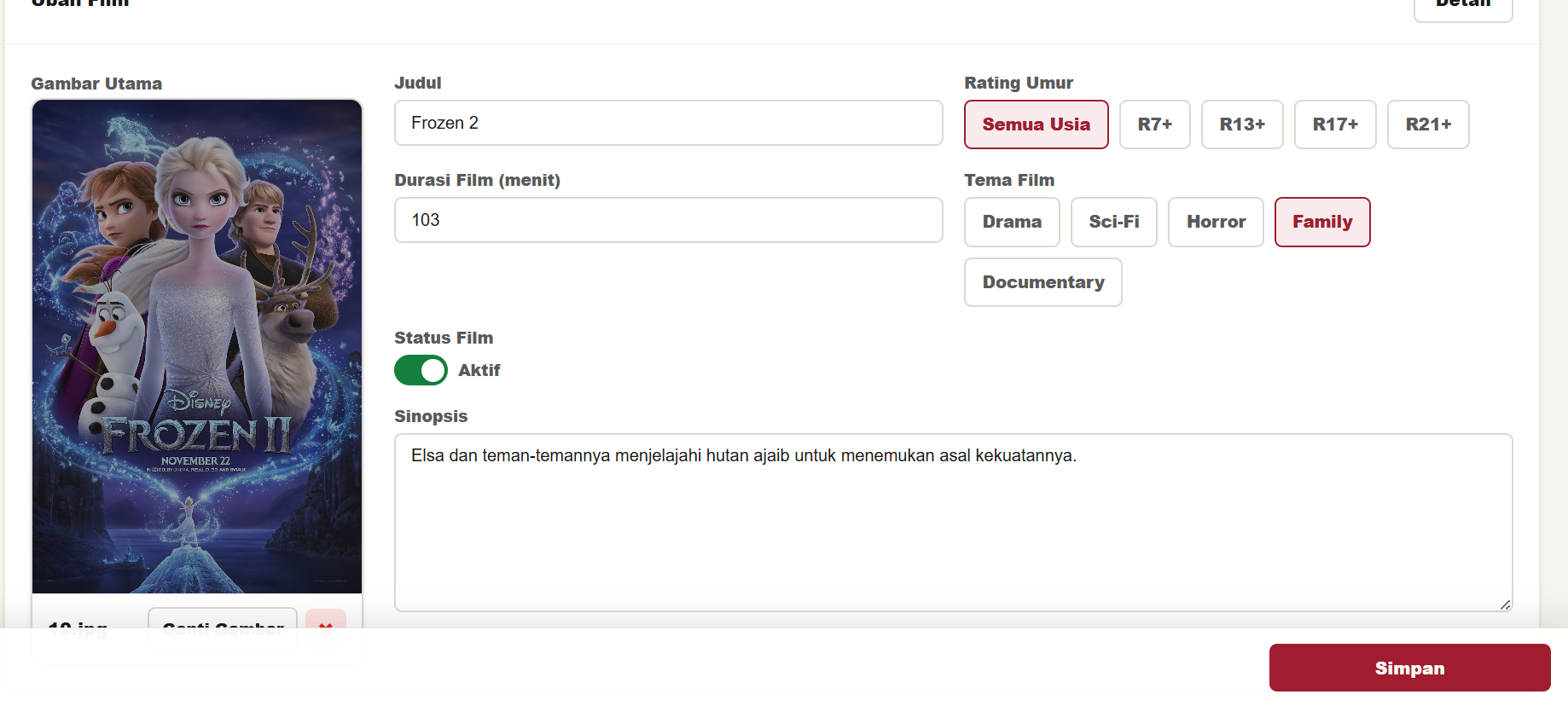
Manager Movie Edit/Update Mode
HTMX-driven inline detail and update mode for existing movies, supporting main poster replacement, upload, and deletion workflows.
Manager Product List
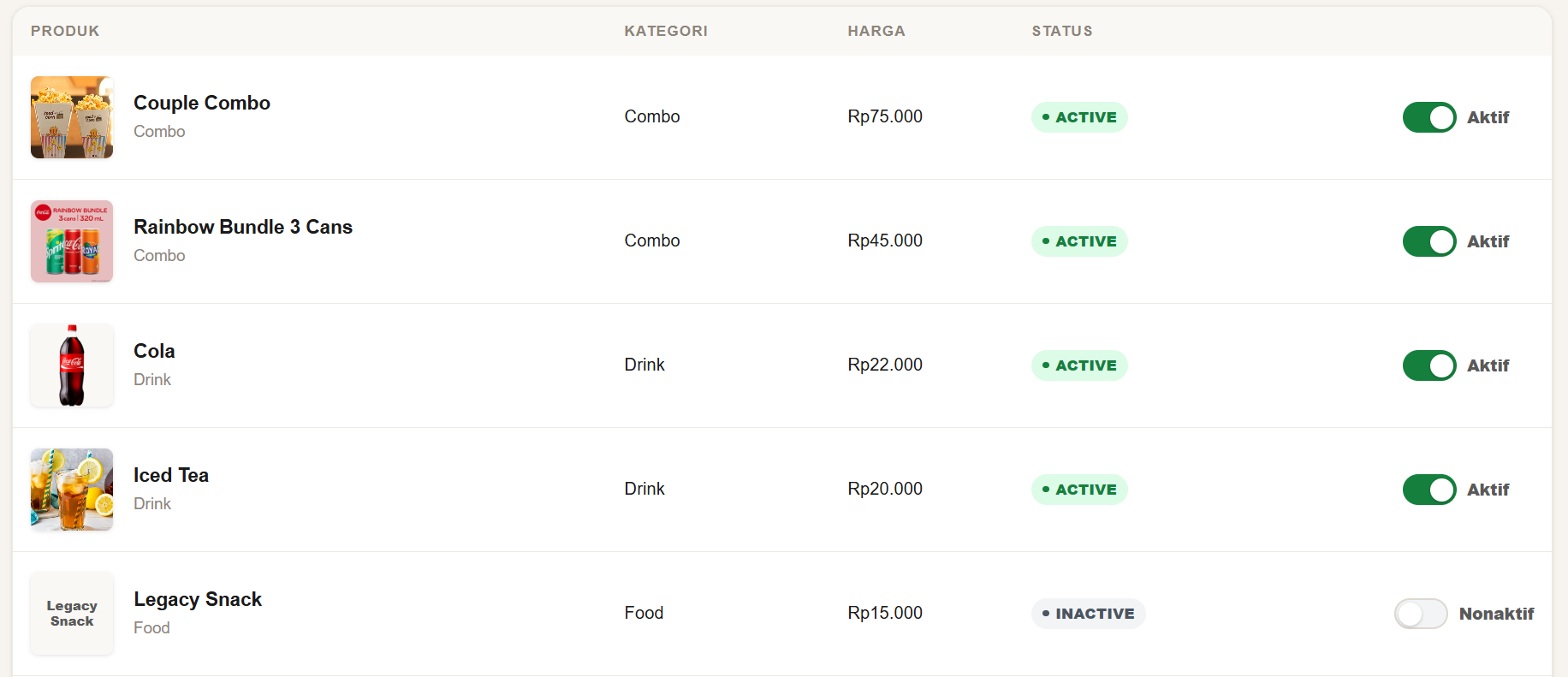
Catalog dashboard for cinema snacks and products, showing pricing details, square image previews, and active status switches.
Manager Create Product Form
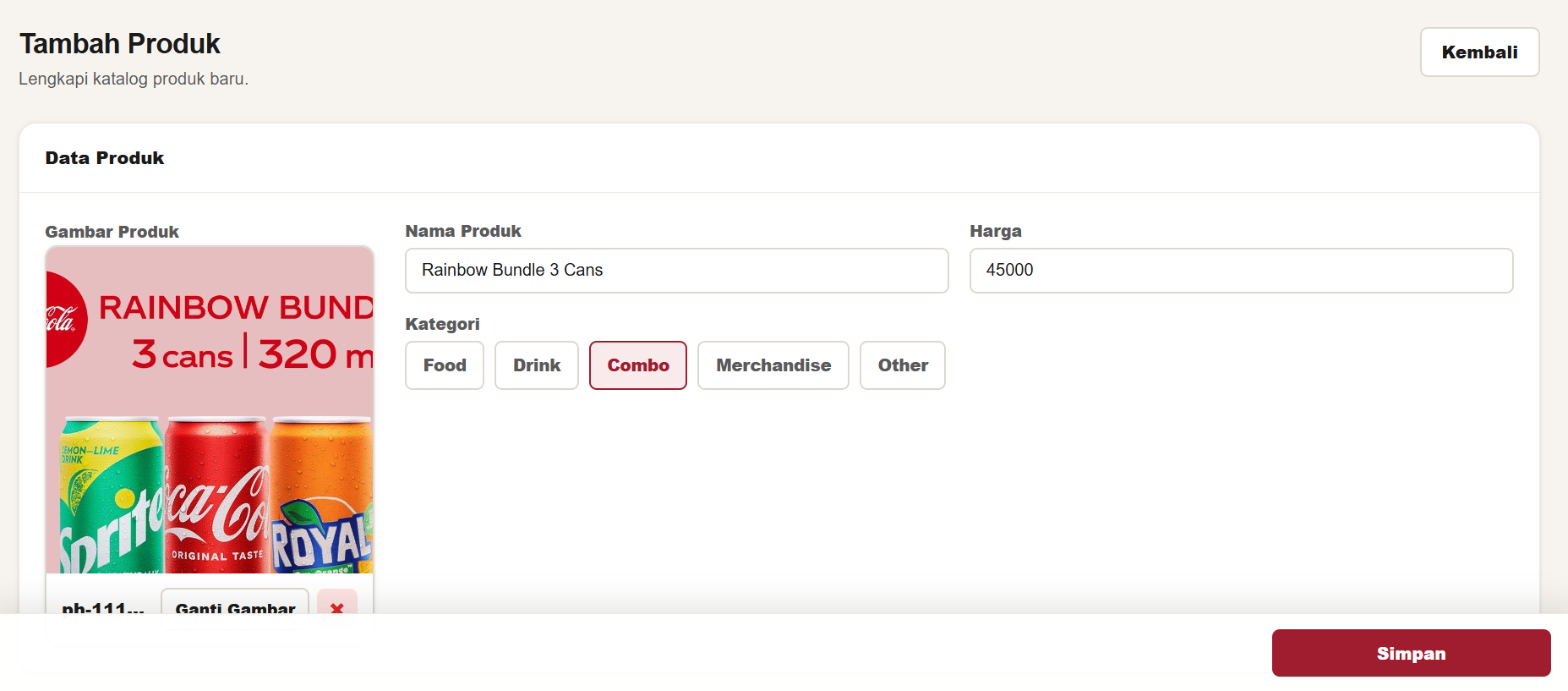
Create product form layout supporting category dropdown pools, detail settings, and the ImageWidget for square product illustrations.
Manager Product Edit/Update Mode
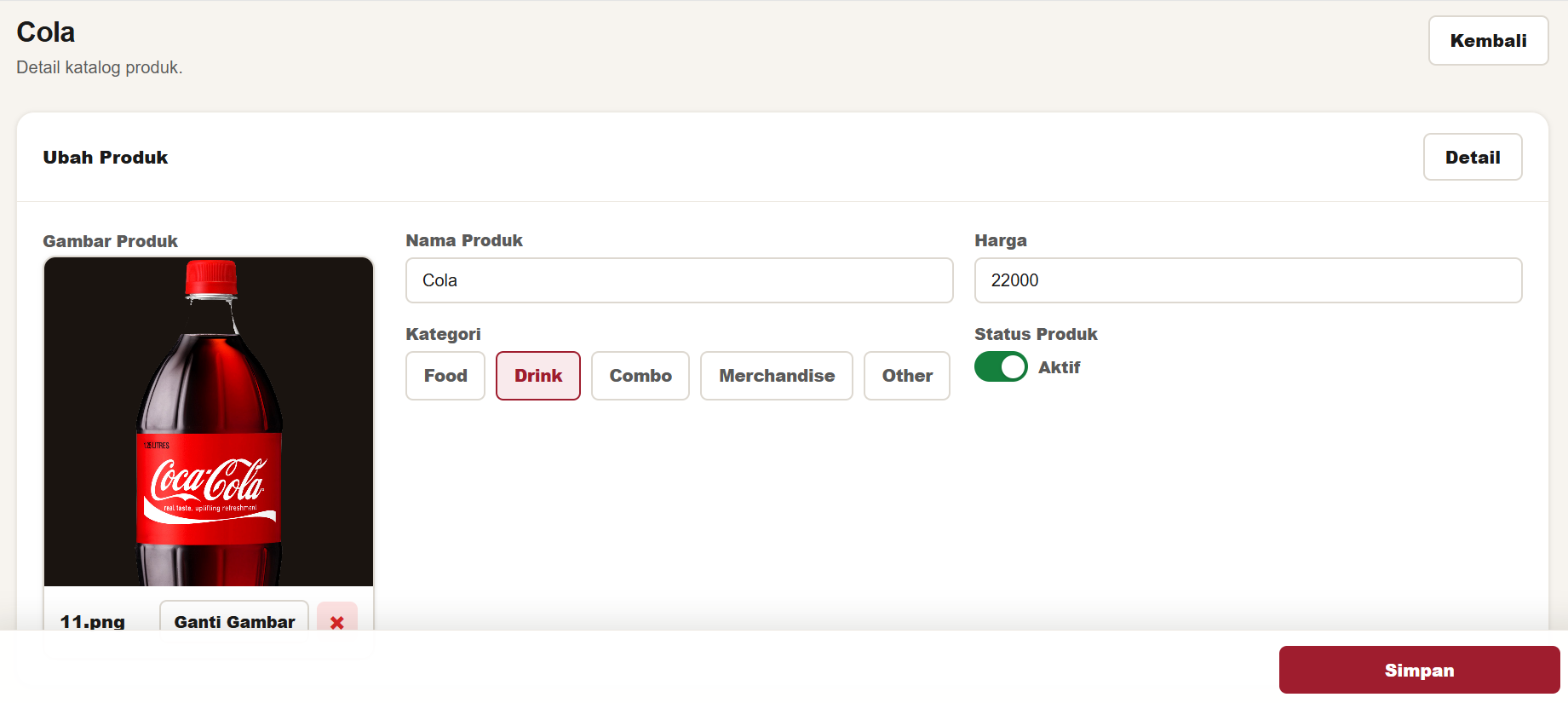
HTMX-supported inline edit mode for products, allowing details updates and product picture swaps/removals.
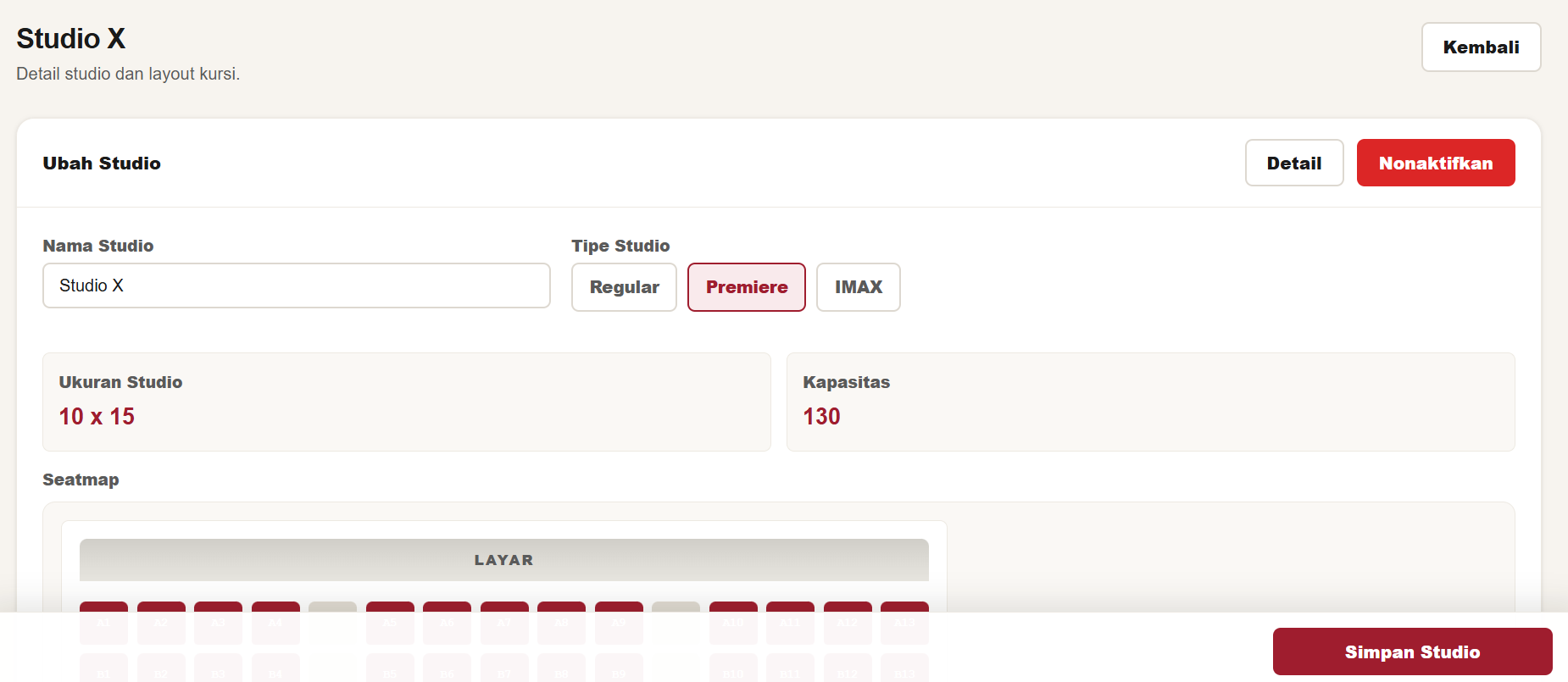
Manager Studio Setup Form
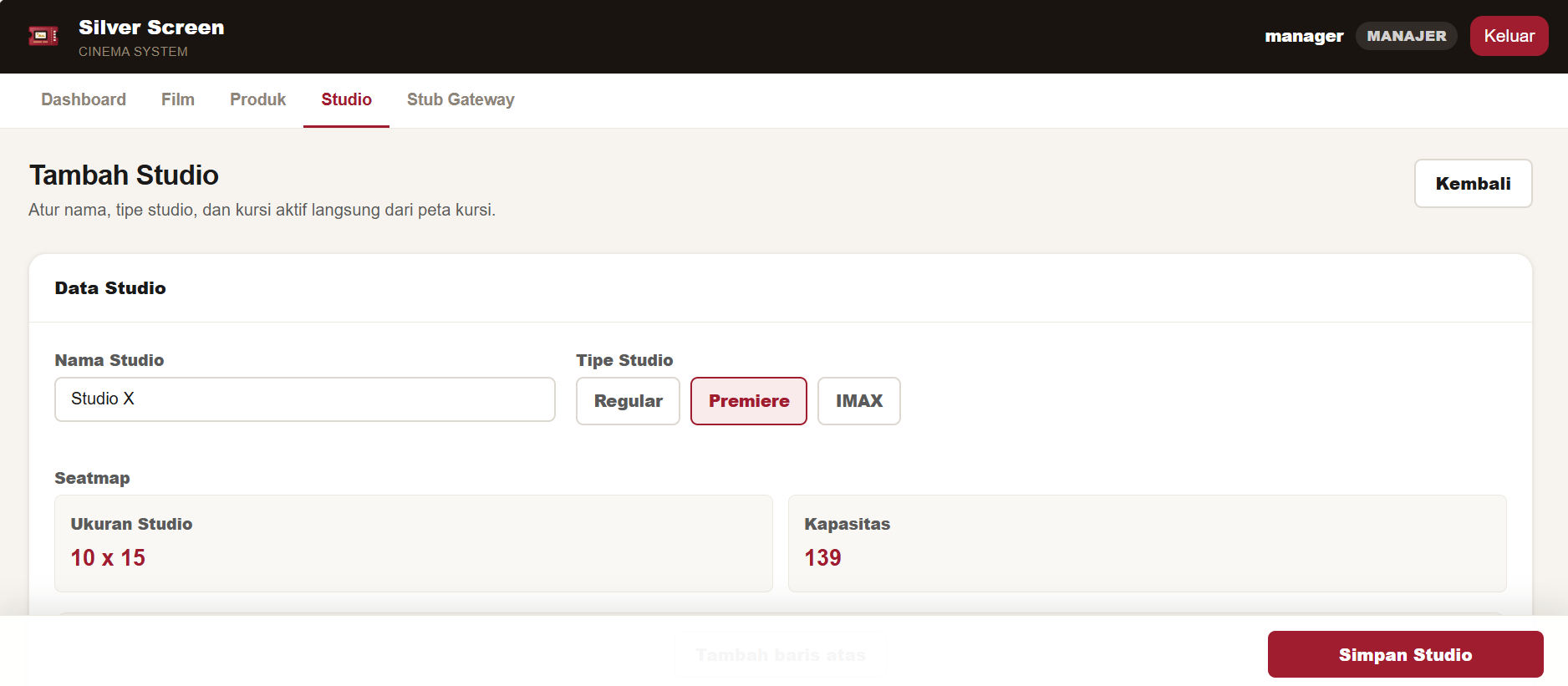
Create studio setup form allowing managers to enter names and select decorated radio choice studio types (e.g., Reguler, VIP, IMAX).
Manager Studio Details page
Studio details view showing metadata editing capabilities, capacity statistics, and a read-only immutable seat map with a yellow warning note.
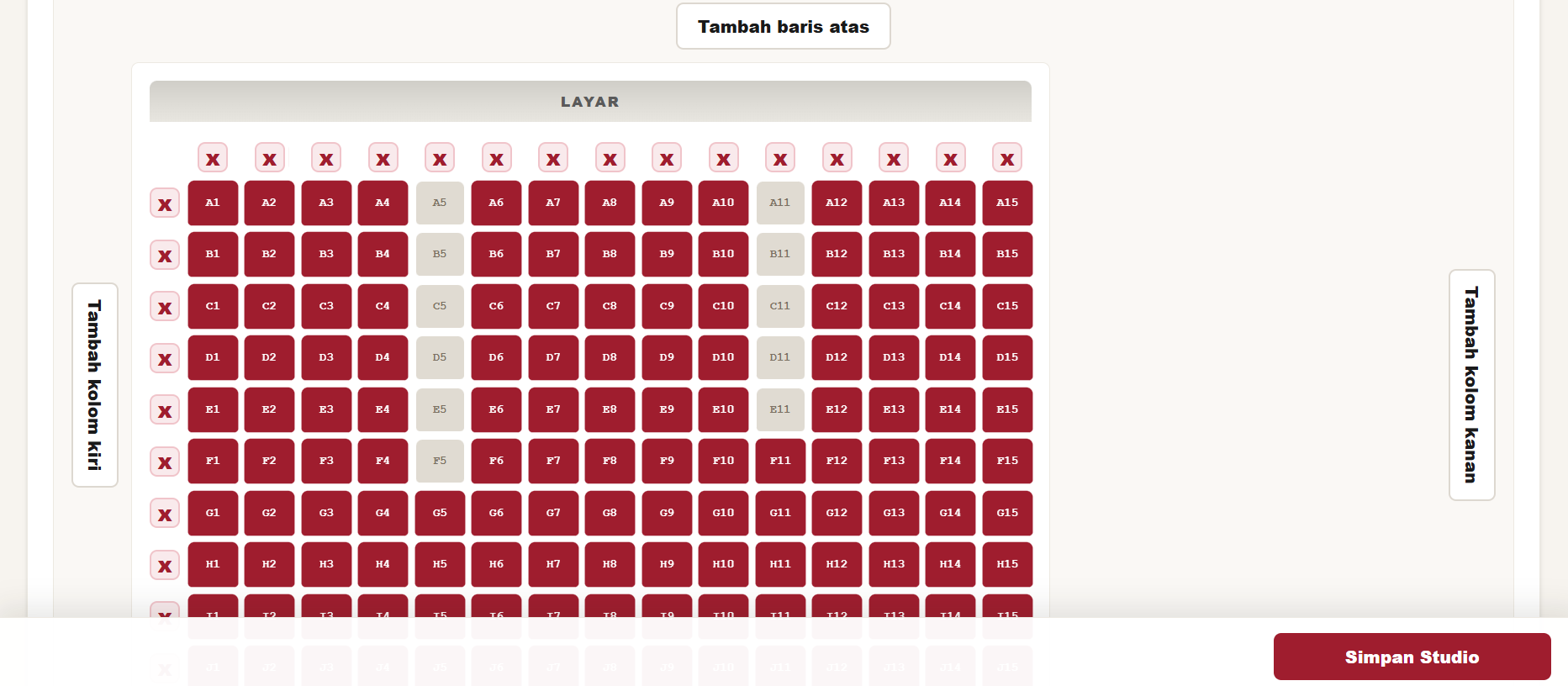
Manager Seat Layout Builder
Interactive seat layout builder showing a 10x15 grid where managers add or delete rows and columns, select active seats, and set layout gaps.

Product Scope

The product was built around cinema operations where online booking and onsite counter workflows need to share seat availability, ticket lifecycle rules, and order records without mixing their state transitions.

Customer

Online Booking

Customers browse active movies, choose a showtime, select seats, add optional products, review the order, pay through the stub gateway, view orders, print tickets, and cancel eligible bookings.

Staff

Counter POS

Staff create onsite orders only after payment, attach an optional customer account, print tickets immediately, view all orders, cancel eligible online orders, and complete pending refunds.

Scheduler

Showtime Planning

Scheduler users create jam tayang through a phased visual wizard. Runtime and end time are derived from the selected movie, and server-side validation blocks overlaps and past start times.

Manager

Master Data

Managers maintain movies, products, studios, and immutable studio seat layouts. Inactive movies and products are hidden from customer booking and POS add-on selection.
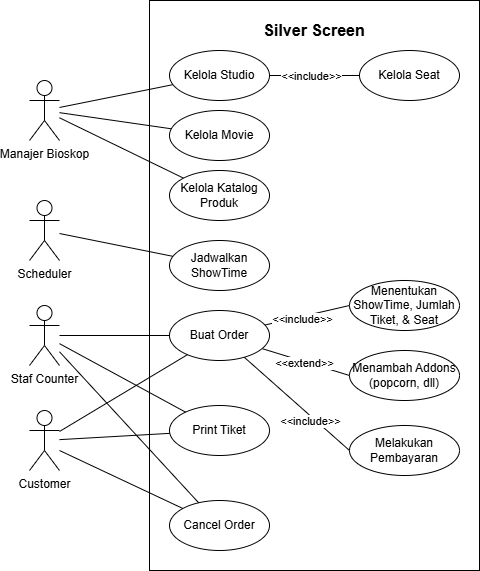
Silver Screen use case diagram showing manager, scheduler, staff counter, and customer workflows
Use Case Diagram: role-based Silver Screen feature scope

Architecture

Silver Screen uses Django apps split by responsibility. The cinema app owns the core domain models, forms, routes, templates, services, admin registration, tests, and demo seed command. The stub_payment_gateway app owns the provider-side dummy gateway model, gateway pages, issue-payment endpoint, payment simulation views, and expiration behavior.

Business rules are intentionally kept in services instead of fat models. Online booking, payment callbacks, cancellation, onsite POS creation, scheduling, studio layout generation, and ID generation are coordinated through dedicated service modules so the class-based views remain focused on routing, permissions, forms, and template rendering.

Core Workflows

Online

Customer Booking

The customer flow has four phases: seat selection, add-ons, review, and payment. Order drafts stay in the session until review confirmation. Confirming creates a pending online order, held tickets, an unpaid payment, optional add-ons, and a service charge.

Onsite

Counter Order

Staff POS does not create pending or held records. After the customer pays at the counter, the system atomically creates a confirmed onsite order, paid payment, confirmed tickets, QR UUIDs, add-ons, and charges.

Cancel

Refund Logic

Unpaid online cancellations invalidate the provider-side gateway payment and release held seats. Paid confirmed cancellations move payment to refund pending. Used tickets block cancellation.

Admission

Ticket QR

Each confirmed ticket receives a hard-to-guess QR UUID. The scanner is outside this Django app and is expected to share the same database, read the QR UUID, and mark the ticket as used.

Payment Gateway Stub

The MVP does not integrate with a real payment processor. Instead, it includes a dedicated payment gateway stub that models provider-side payment issuance, virtual-account assignment, success simulation, expiration simulation, and callback delivery back into Silver Screen.

The internal Payment record is owned by Silver Screen, while the provider-side GatewayPayment record is owned by the stub gateway. Final payment and order states are sourced only from callbacks. Countdown displays in the app and gateway are visual; the authoritative expiration behavior belongs to the gateway worker.
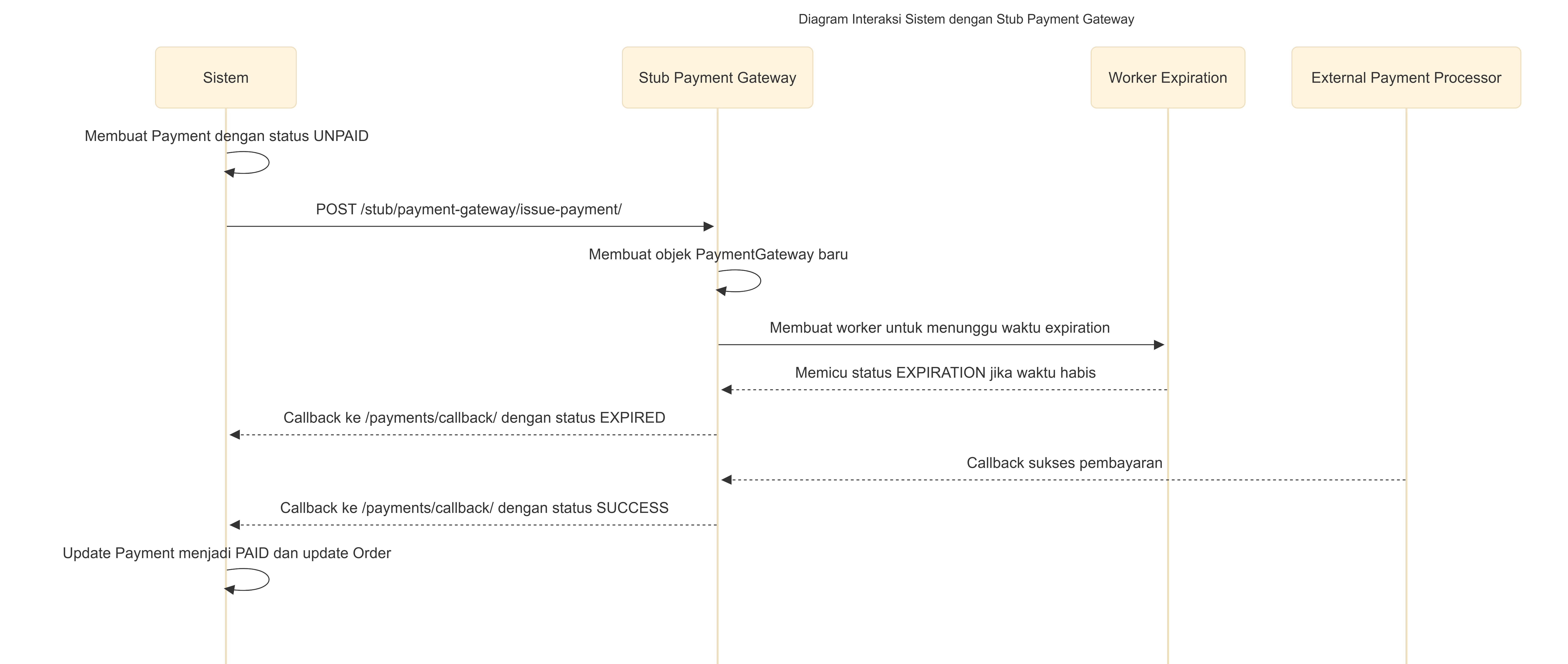
Sequence diagram showing Silver Screen payment issuance, gateway expiration worker, success callback, and expiration callback
Payment Gateway Interaction: issuing, expiring, and confirming stub payments through callbacks

Domain Model

The domain model centers on movies, studio layouts, showtimes, orders, tickets, add-ons, charges, and payments. Seat protection is enforced with a conditional uniqueness rule so a showtime and seat cannot have more than one active ticket in HELD, CONFIRMED, or USED state.

Online and onsite channels share the same order, ticket, and payment tables, but use different state paths. Online orders start pending with held tickets and unpaid payments. Onsite POS orders are created only after payment, so they enter the system already confirmed and paid.
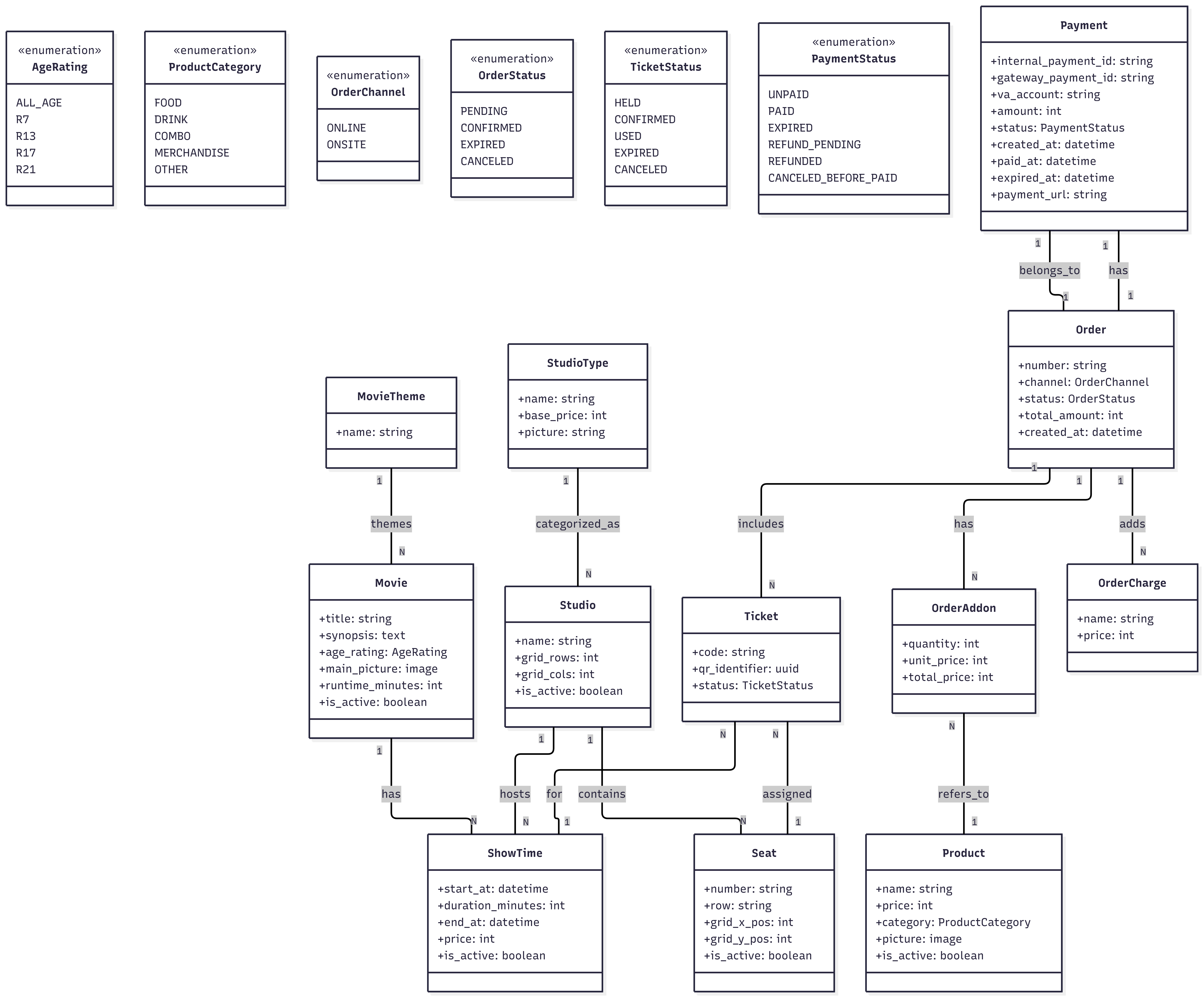
Silver Screen class diagram showing movies, studios, showtimes, seats, orders, tickets, products, charges, and payments
Class Diagram: core Silver Screen domain entities and relationships